
Recipes imported from social media or handwritten notes sometimes come through with an amount or unit in the wrong place — for example, "1/4 cups light beer" showing up as the ingredient name with no amount. You can fix this in a few taps.
Structured amounts and units also matter beyond looks: they're what let Recipe Notes scale ingredients when you change servings and combine them in your grocery list.
Step 1: Open Manual Adjust
Open the recipe, tap the pencil icon to edit it, then tap Manual Adjust in the Ingredients header (Adjust on the web).
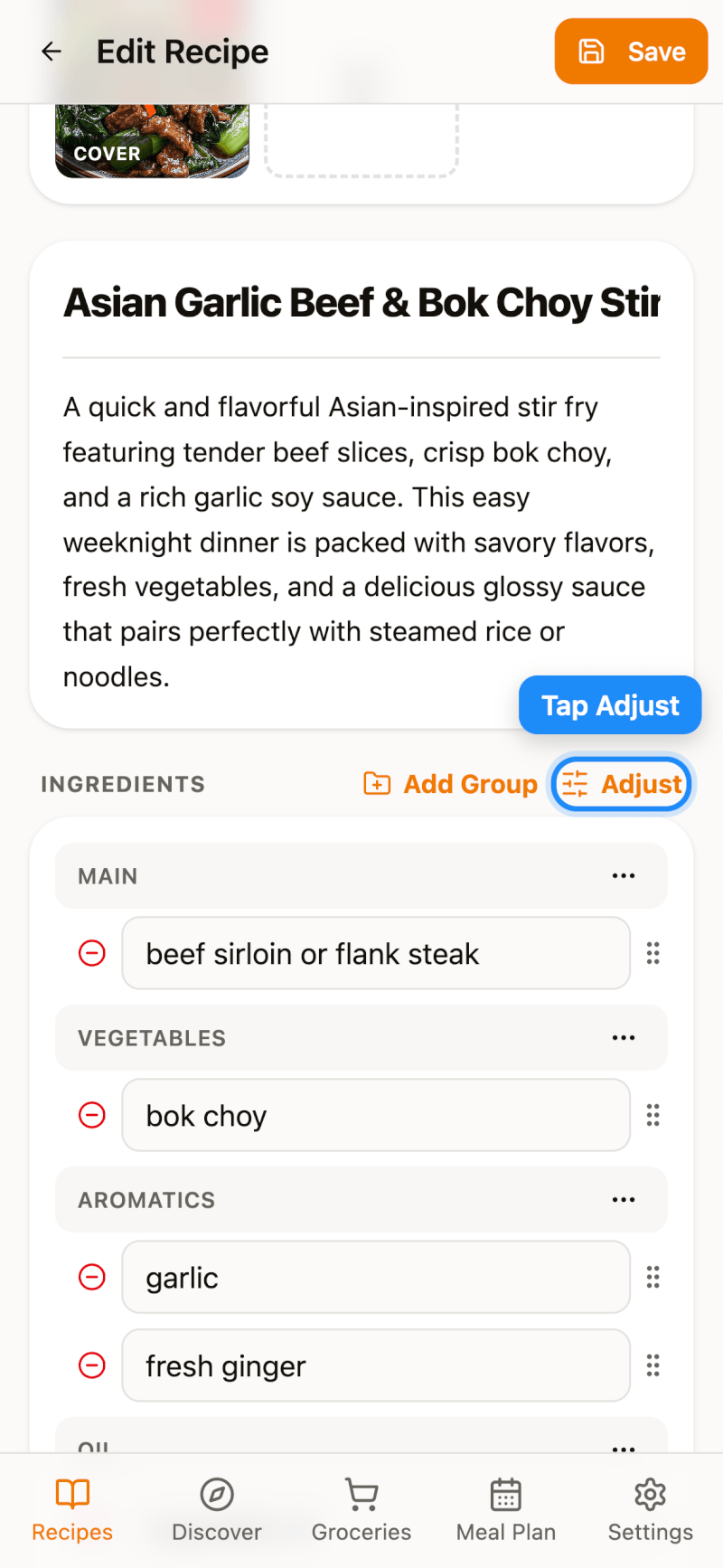
Step 2: Fix Amounts, Units, and Names
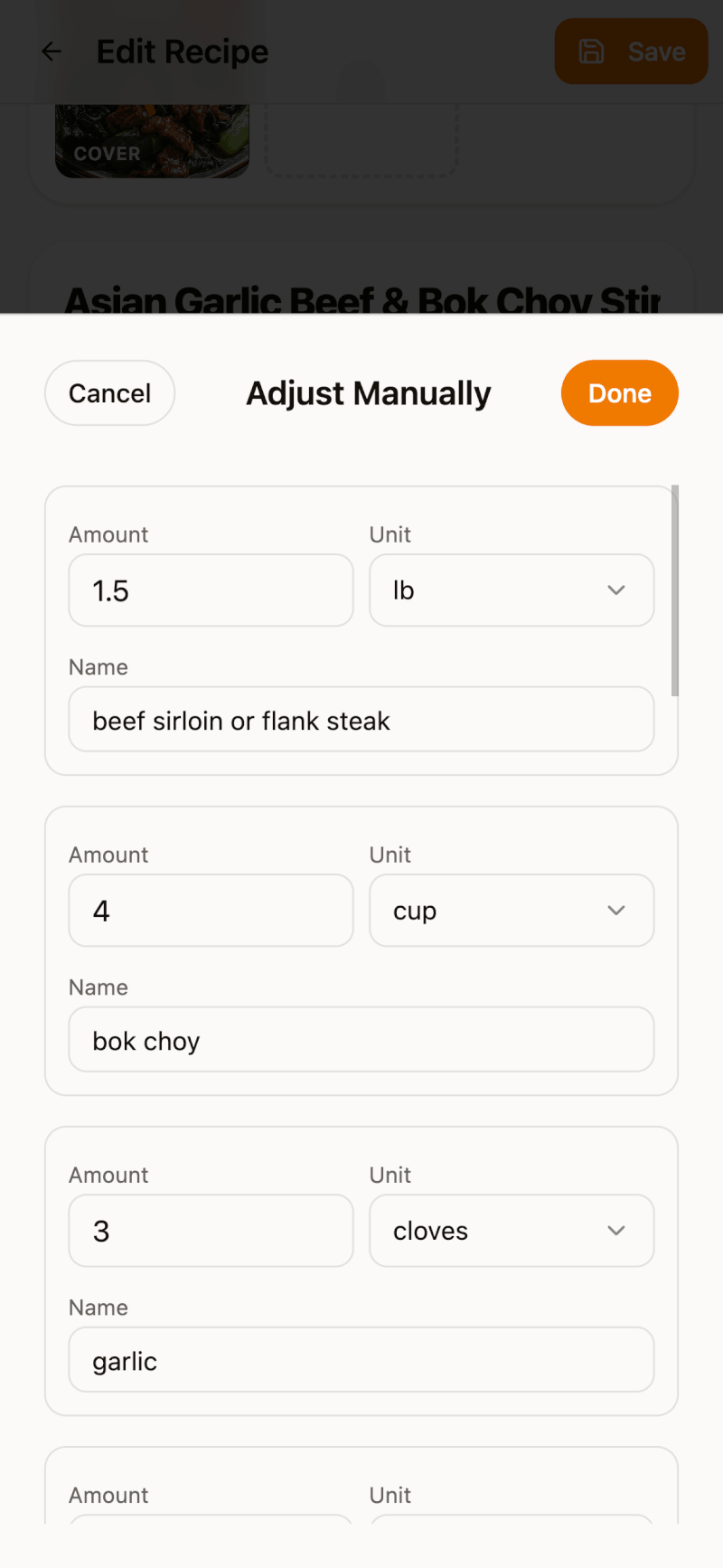
Each ingredient is split into three fields: Amount, Unit, and Name. Type the correct amount, fix the name, and tap the Unit dropdown to pick the right unit.
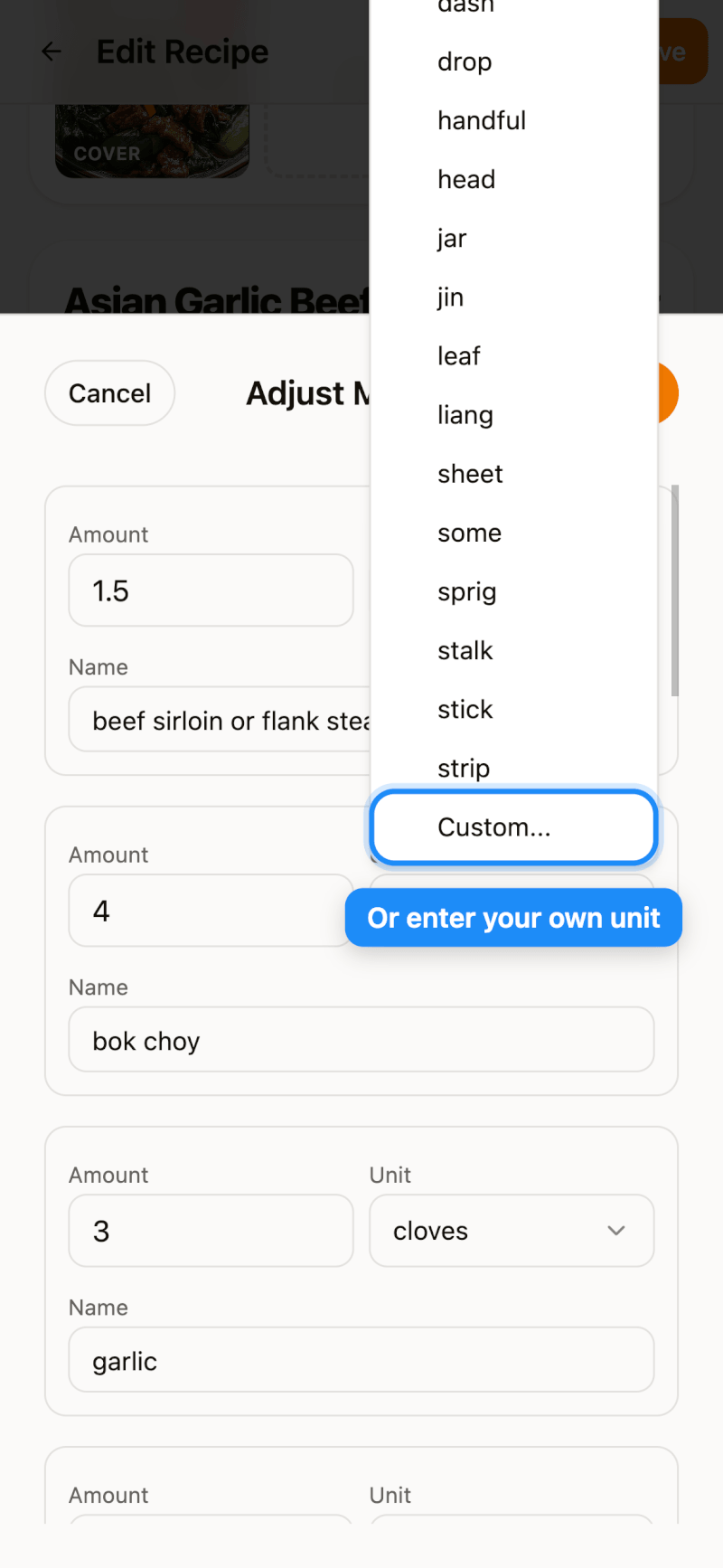
If the unit you need isn't in the list, scroll to the bottom and choose Custom... to type your own.
Step 3: Save
Tap Done to close the adjust screen, then tap Save on the Edit Recipe page. Back on the recipe details page, your ingredients now display correctly.