
Every recipe in Recipe Notes is fully editable, so you can tweak imported recipes to match the way you actually cook.
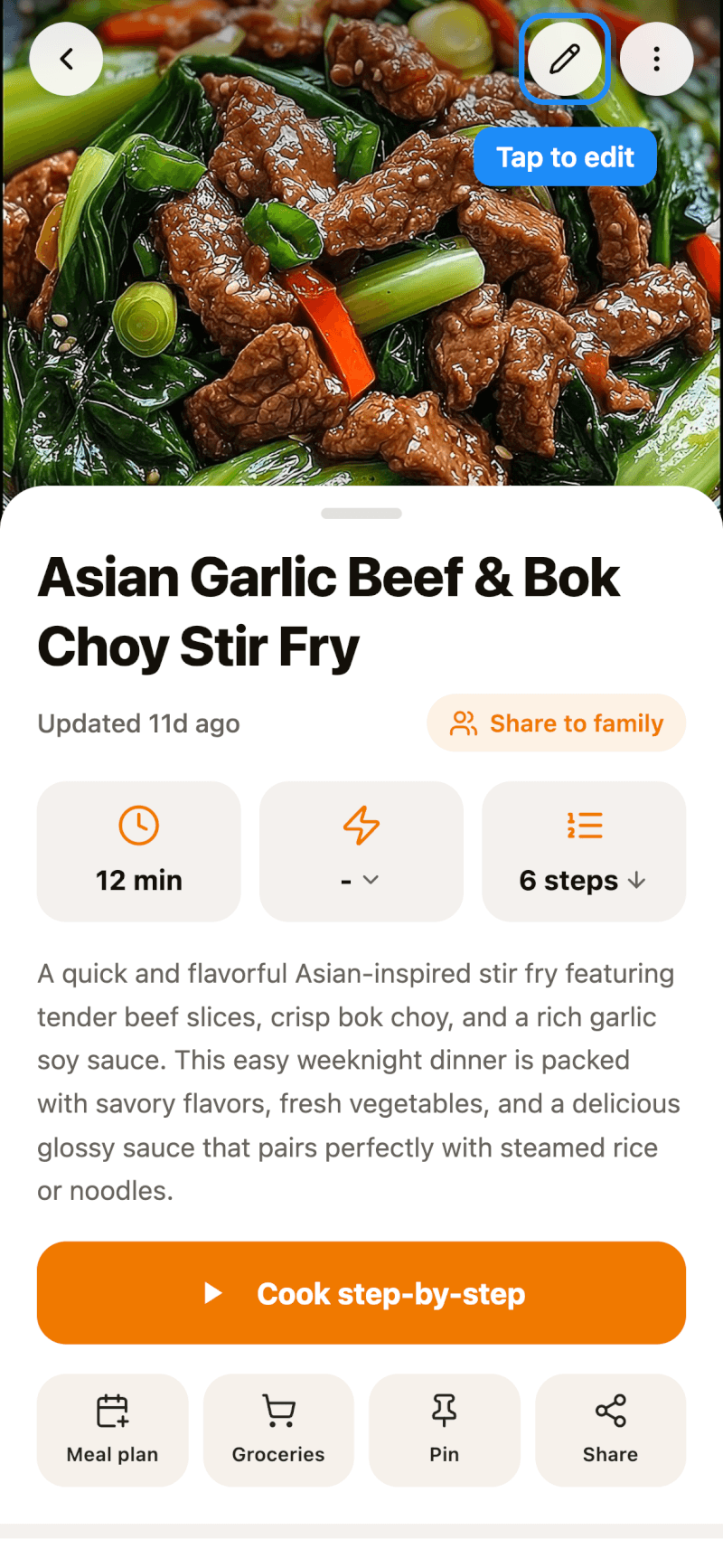
Step 1: Open the Editor
Open any recipe and tap the pencil icon in the top-right corner. On iPhone and iPad, you can also long-press a recipe in any list and tap Edit.
Step 2: Edit Photos, Title, and Ingredients
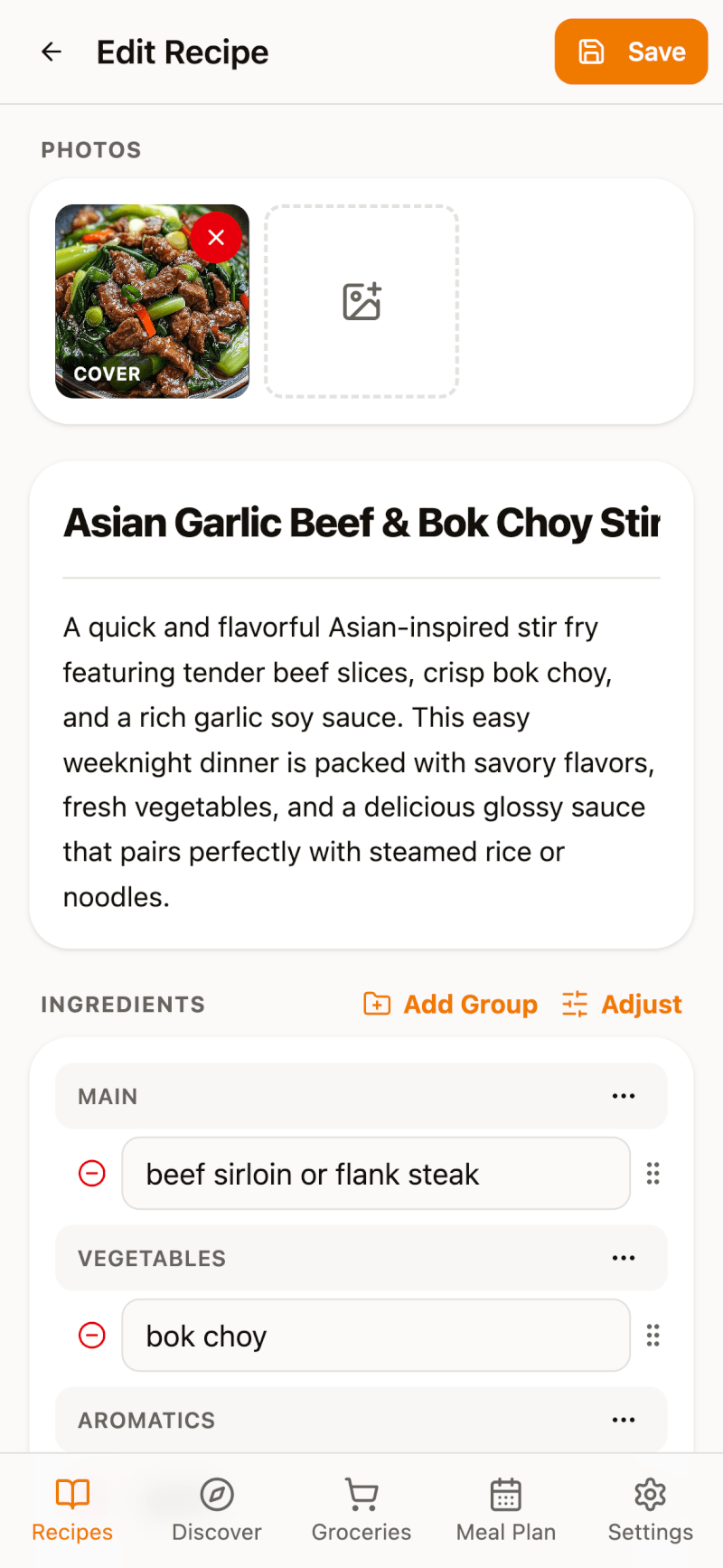
On the Edit Recipe page you can:
- Add, remove, or change photos — the first photo is used as the cover
- Rename the recipe and edit its description
- Edit, add, or remove ingredients, and drag the handle on the right to reorder them
- Tap Add Group to split ingredients into sections, like "Sauce" or "Garnish"
Need to fix an amount or unit? See how to manually adjust ingredients.
Step 3: Edit the Cooking Steps
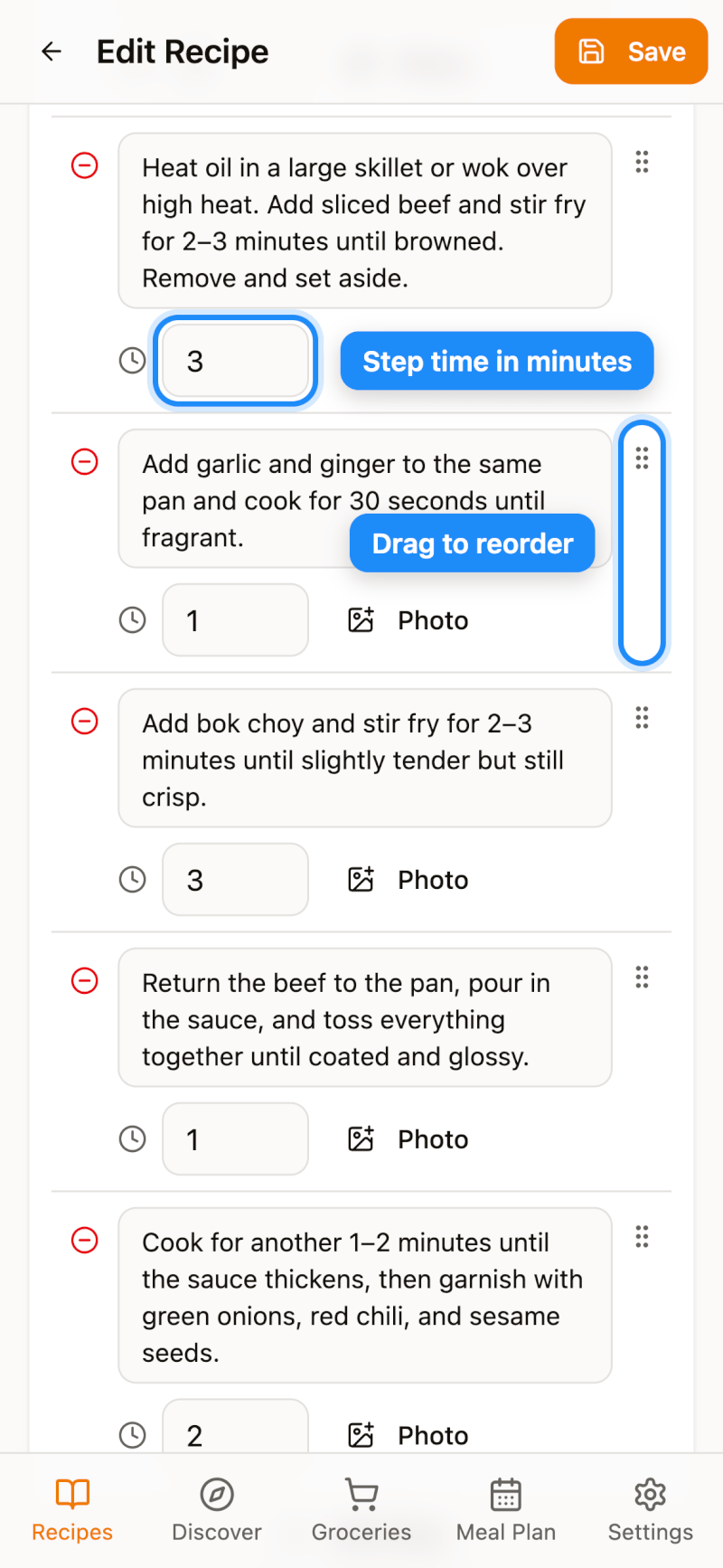
Rewrite any step, add your own tips, or tap Add Step for new ones. Each step can also have a cooking time and a photo. Drag the handle on the right to reorder steps.
Further down, you can set the difficulty, change the number of servings, and edit or recalculate nutrition.
Step 4: Save Your Changes
Tap Save in the top-right corner. Your changes sync automatically to all your devices.
Add Personal Notes Without Editing
For quick notes, you don't even need the editor. On the recipe details page, scroll to Your notes to mark the recipe as cooked, give it a star rating, and jot down tweaks and timings that worked for you.