
Choose Your Default Measurement System
You can decide which measurement system Recipe Notes uses when importing new recipes. Four options are available: Original, Metric, US, and Imperial.
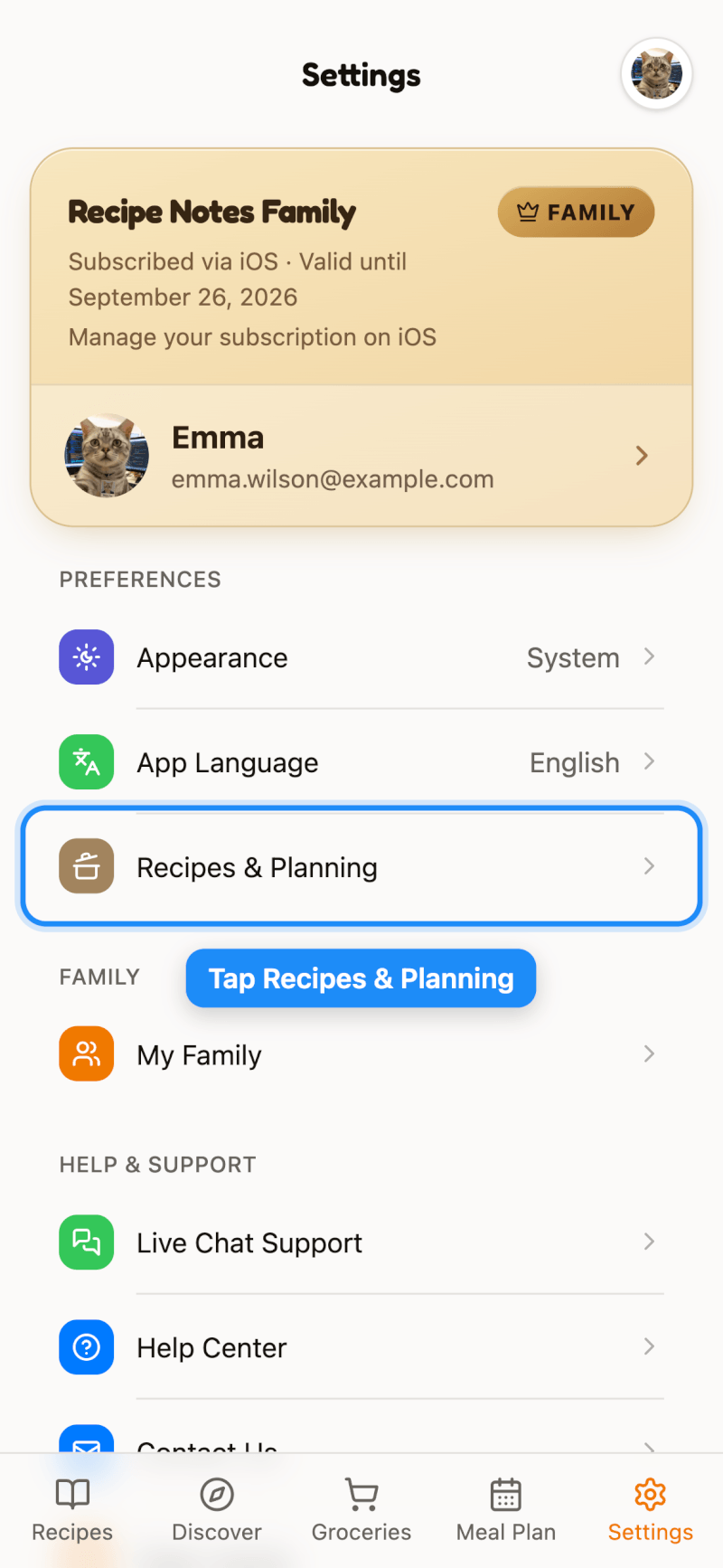
Step 1: Open Recipes & Planning
Go to Settings and tap Recipes & Planning.
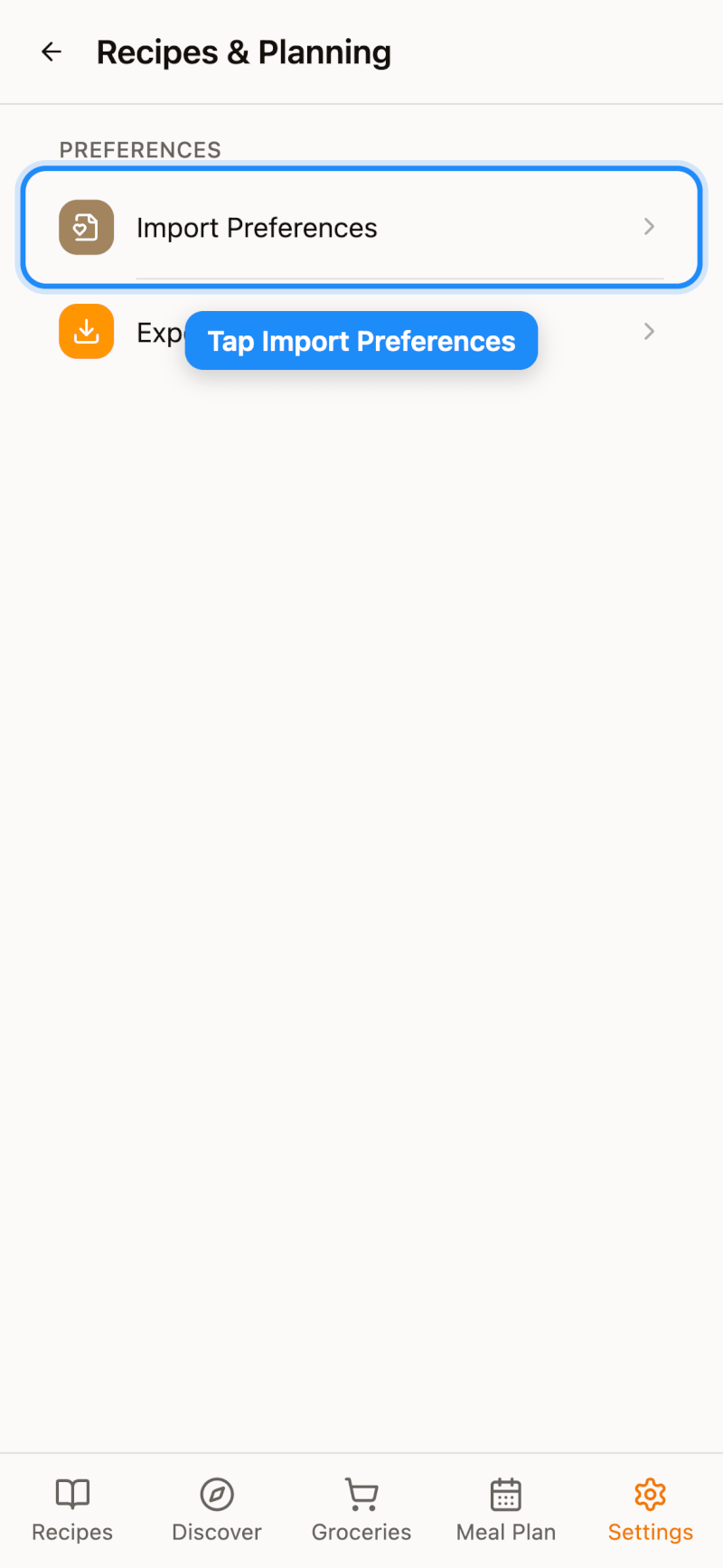
Step 2: Open Import Preferences
Tap Import Preferences.
Step 3: Select Your Preferred Measurement System
Tap Measurement System and pick the option you want:
- Original (default) — keeps the units exactly as they appear in the source recipe, with no conversion
- Metric — g, ml, °C
- US — cups, oz, °F
- Imperial — cups, oz, °C
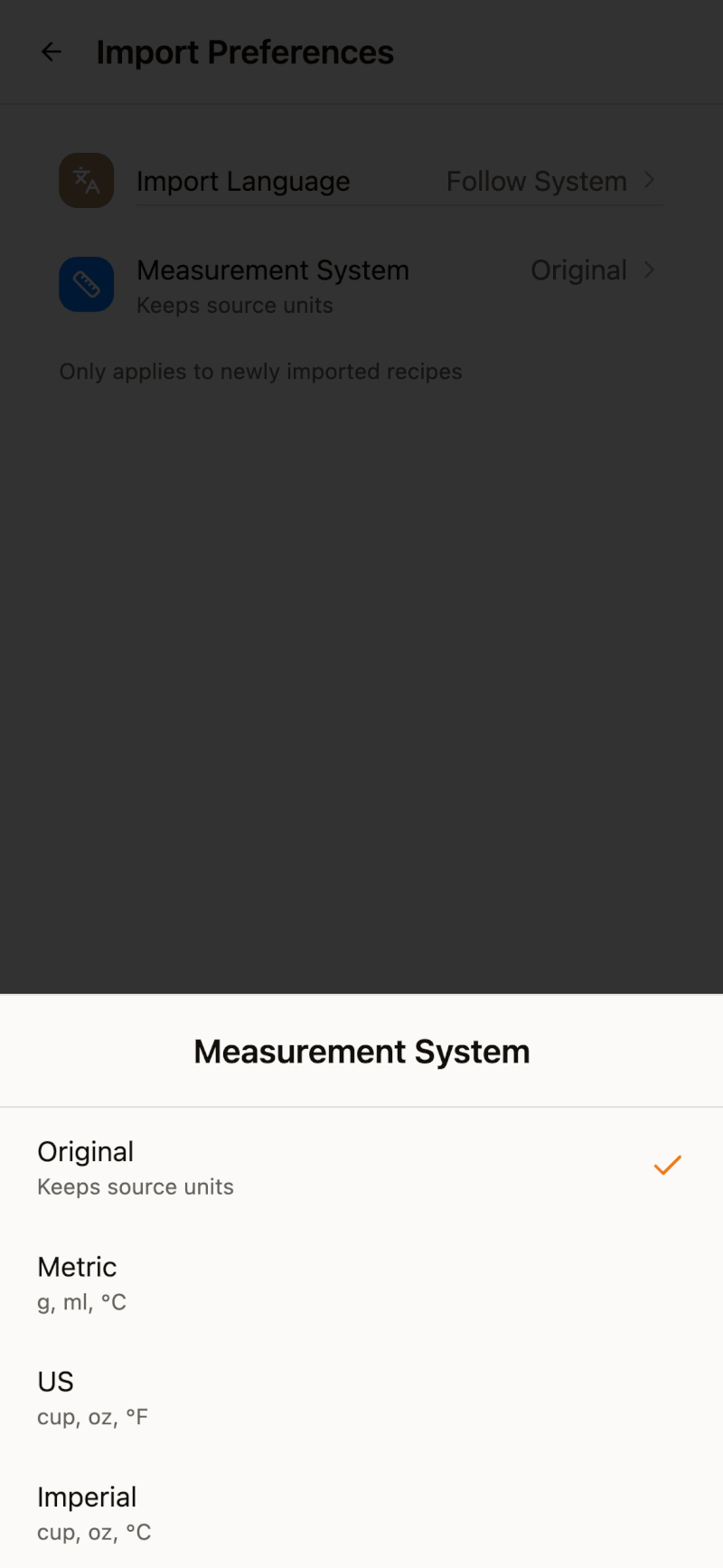
The setting only applies to recipes you import from now on. Recipes already in your collection keep their current units.